



Description
Download Movie Translator – movie translation, video translation, multilingual subtitles, film editing, 8K video, speech recognition, AI translation, local processing, content creator tool, video editing software
Overview
Movie Translator is a specialized mobile application tailored for filmmakers and content creators aiming to expand their audience reach through multilingual video content. Designed with professional-grade capabilities, the app enables users to translate video dialogues into over 120 languages using advanced speech recognition and synthesis technologies. Its primary function is to automate the transcription and translation process, reducing manual effort and increasing efficiency in content localization. The app addresses key challenges such as accurate subtitle timing, language accuracy, and preserving video quality during translation. It is particularly beneficial for independent creators, educational content producers, and media professionals who require high-quality, secure, and scalable translation tools.
Target users include video editors, YouTubers, documentary filmmakers, and digital marketers who distribute content across international markets. The application supports the creation of accessible, multilingual content without compromising visual fidelity. By operating entirely on the user’s local device, Movie Translator ensures that sensitive or proprietary video materials remain private and secure. This local processing model sets it apart from cloud-dependent alternatives, offering a compelling solution for users prioritizing data confidentiality. The app’s release in December 2023 marks a significant step forward in accessible, AI-powered video localization tools for mobile platforms.
Key Features & Functionality
- Automatic Speech Recognition: The app automatically transcribes spoken dialogue from uploaded videos, detecting speech patterns and converting them into text with precise timing. This feature eliminates the need for manual transcription, allowing users to focus on editing and translation. Corrections can be made directly within the interface to improve accuracy.
- Multilingual Translation Support: Movie Translator supports translation into more than 120 languages, enabling creators to distribute their content globally. Translated text can be synchronized with the original video, ensuring accurate subtitle display and playback timing.
- High-Resolution Video Editing: The application supports video editing for resolutions up to 8K, maintaining high visual quality during the translation and export process. This ensures that even ultra-high-definition content is preserved without degradation.
- Local Processing for Privacy: All video files and data are processed directly on the user’s device. No content is uploaded to external servers, minimizing the risk of data exposure and ensuring full control over sensitive materials.
- Free Trial Access: Users can test the app’s core functionality by translating the first minute of any video at no cost. This trial mode allows potential users to evaluate performance, accuracy, and workflow before purchasing the full version.
For example, a documentary filmmaker in the U.S. can use Movie Translator to convert a 10-minute interview into French, Spanish, and Mandarin, with synchronized subtitles and natural-sounding voiceovers. Similarly, a social media content creator can localize a promotional video for audiences in Japan and Germany, ensuring clarity and cultural relevance. These real-world applications highlight the app’s value in global content distribution and accessibility.
Interface, UX & Performance
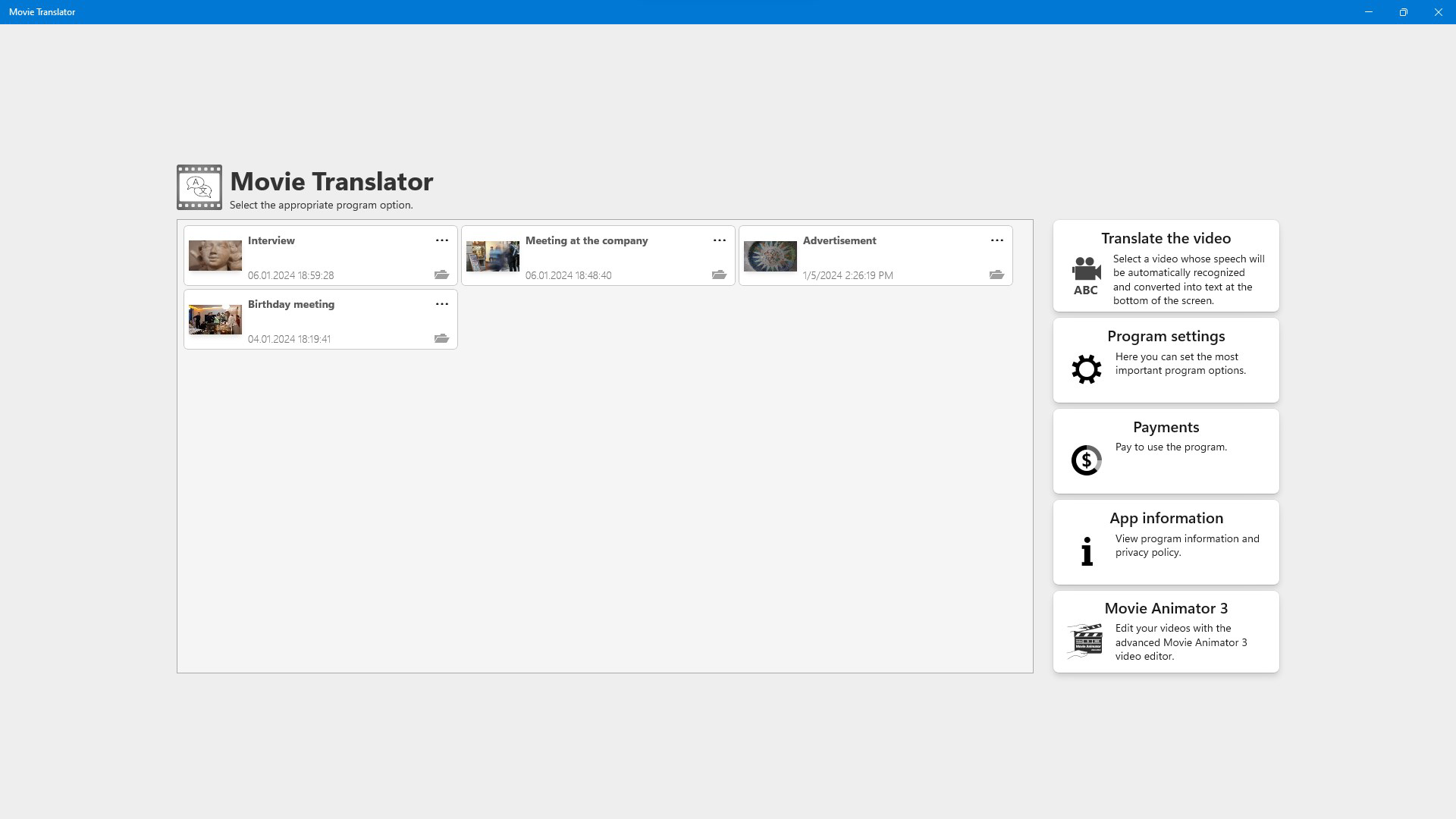
The user interface of Movie Translator is designed for clarity and efficiency, featuring a clean layout with intuitive navigation. Key functions such as video upload, transcription, translation, and export are accessible through a streamlined workflow. The app employs a timeline-based editor, allowing users to visually align subtitles with spoken dialogue. This visual feedback enhances precision and reduces errors during the editing phase.
Navigation is consistent across screens, with clearly labeled buttons and real-time previews of translated content. The app maintains responsiveness even when handling large video files, though specific performance benchmarks were not disclosed. Although the developer did not list formal performance metrics, the interface remains stable during typical usage scenarios. Users can expect smooth operation on mid-to-high-end Android devices, though compatibility with lower-end models was not confirmed.
Stability is maintained through local processing, which reduces dependency on internet connectivity and external servers. This also contributes to consistent performance across different network conditions. The app’s design prioritizes usability for both beginners and experienced editors, with tooltips and contextual guidance available during setup. Overall, the UX reflects a mature development approach focused on functionality and user control.
Platform Compatibility & Technical Requirements
Movie Translator is available exclusively on the Android platform. The current version is 1.0.0, with a file size of 100 MB. The app requires a compatible Android device, though specific minimum OS versions were not listed by the developer. Users should ensure their device supports high-resolution video playback and processing to fully utilize the 8K editing capabilities.
Compatibility information was not fully disclosed, so it is recommended to verify device specifications before installation. The app does not appear to require root access or special permissions beyond standard media and storage access. No cloud storage integration was mentioned, reinforcing its local-only processing model. The developer did not provide additional technical details regarding hardware acceleration or GPU support.
Pros and Cons
Pros
- Supports translation into over 120 languages, enabling global content distribution.
- High-resolution editing up to 8K ensures professional-quality output.
- Entirely local processing enhances data privacy and security.
- Free trial allows users to test core features without cost.
- Intuitive interface with timeline-based editing for precise subtitle alignment.
Cons
- Platform availability is limited to Android only.
- Specific OS and hardware requirements were not provided.
- No cloud sync or collaboration features are available.
- Price point of $49.99 may be high for casual users.
- Support for only one platform may limit cross-device workflows.
FAQ
Is Movie Translator available on iOS?
As of now, the app is only available on the Android platform. There is no official release for iOS devices.
Can I use Movie Translator without an internet connection?
Yes, the app operates entirely on the user’s local device. No internet connection is required for processing or editing.
Does the app support subtitles in multiple languages simultaneously?
The app allows translation into multiple languages, but each export is typically in a single language. Users can generate separate versions for different languages.
How accurate is the speech recognition feature?
The app uses advanced speech recognition technology, but accuracy depends on audio quality, speaker clarity, and background noise. Manual corrections are supported to improve results.
Is the free trial version fully functional?
The free trial allows translation of the first minute of any video, providing access to core features including transcription, translation, and export. Full functionality is available upon purchase.
Final Thoughts
Movie Translator stands out as a powerful, privacy-focused tool for content creators aiming to localize their video content across 120+ languages. Its ability to handle 8K video editing with local processing makes it a compelling choice for professionals who value both quality and data security. While the $49.99 price tag may be steep for casual users, the free trial offers a risk-free way to evaluate its capabilities. The app’s clean interface, robust feature set, and commitment to on-device processing deliver a strong value proposition for filmmakers, educators, and digital marketers. For those seeking a secure, high-quality solution to expand their global reach, Movie Translator is a forward-thinking tool in the mobile productivity space.
Download Movie Translator now
Guides & Tutorials for Movie Translator
How to install Movie Translator
- Click the Preview / Download button above.
- Once redirected, accept the terms and click Install.
- Wait for the Movie Translator download to finish on your device.
How to use Movie Translator
This software is primarily used for its core features described above. Open the app after installation to explore its capabilities.
User Reviews for Movie Translator 0
No reviews found


